PARTNERS

Alcatel-Lucent IP Desktop Softphone

Alcatel-Lucent IP Desktop Softphone

The Alcatel-Lucent IP Desktop Softphone helps businesses optimize their employees’ productivity with this fully-integrated telephony solution that provides desktop users with faster and more user-friendly access to telephone facilities.

The IP Desktop Softphone can become the telephony choice for remote and on-site workers, especially when desktop connection is the preferred communication mode.

  • Voice communications on the computer through VoIP protocol
  • Available anywhere the user is able to connect to the company’s IP network
  • The IP Desktop Softphone can run in Business mode or Contact Center agent mode
  • Personalized User interface
  • Identical layout and keys as the Alcatel-Lucent IP Touch phone sets
  • Up to 15 different ring tones
  • Multi-language
  • Telephony is supported on any CTI environment

TechnicalDatasheet_Alcatel-Lucent_IP_Desktop_Softphone

Alcatel-Lucent OmniTouch 4135 Conference Phone

Alcatel-Lucent OmniTouch 4135 Conference Phone

With the Alcatel-Lucent 4135 IP Conference Phone, calls can be recorded and stored and the conference guide allows calls to be pre-programmed groups. Featuring expansion microphones, the OmniTouch 4135 IP Conference Phone is the business phone of choice for large conferences.

  • Increases collaboration and enables creative exchanges with remote parties
  • Allows spontaneous group brainstorming and problem-solving sessions
  • Reduces travel and administration time and costs
  • Leverages the installed base of Alcatel-Lucent OmniPCX Enterprise systems
  • Interoperability with survival router (embedded SIP Proxy) provides continuity of service with Alcatel-Lucent OmniPCX Enterprise systems
  • Enables high-quality audio conferencing
  • LDAP client with direct access to directory thru dedicated key
  • Easy configuration with the Web interface – Settings can be imported and exported to other OmniTouch 4135 IP Conference Phones
  • Expansion for large rooms – A combination of the unit’s omni directional microphone with directional microphones increases voice pickup from 30 m2 (320 ft 2) to twice that size
  • SIP connectivity enables connection to the Alcatel-Lucent OmniPCX™ Communication Server
  • SIP redundancy with Alcatel-Lucent OmniPCX Enterprise Communication Server
  • Support for power over Ethernet (PoE)
  • Four simultaneous connections can be linked to create a five-way call

ALU-4135-Conference-Phone-User-Manual

Alcatel-Lucent Wireless

Alcatel-Lucent Wireless Phones


Alcatel-Lucent Digital Phones

Alcatel-Lucent Digital Phones

Alcatel-Lucent IP Phones

Alcatel-Lucent IP Phones

Alcatel-Lucent is a world leader in communications and customer service solutions with more than 250,000 customers worldwide. The Alcatel-Lucent IP Touch Phone series are full-featured desk phones that offer integrated IP connectivity and telephony.

Alcatel-Lucent IP Touch Phones are designed to increase employee efficiency and productivity by targeting and supporting different user needs to enhance your organisation’s performance.


Alcatel-Lucent OpenTouch Systems

Alcatel-Lucent OpenTouch Systems


OpenTouch™ Business Edition targets enterprises with up to 1500 users and delivers an unprecedented level of openness (SIP, applications, platforms). It is the new generation of the Alcatel-Lucent Business integrated Communication Solution (BiCS), enriched with Genesys SIP server technology and a native multimedia conferencing engine.

It delivers advanced communications that help you interconnect your network, people, processes and knowledge for cost control. It’s also cost-optimized to keep expenditures under control as you position yourself for future expansion.

With the Alcatel-Lucent OpenTouch Business Edition, you have all of the necessary software and licenses for a comprehensive, application-enabled communications system on a single, industry-standard server.

Features

  • All-in-one pre-installed server
  • Video at the core: voice activated multipoint video switching without a MCU
  • User centricity: same experience across devices (My IC Phone, My IC Desktop and My IC Mobile), transparent switch form one device to another while interacting
  • OmniPCX™ Enterprise Communication Server key features
  • OmniTouch™ 8082 My IC Phone support
  • OmniVista™ 8770 Network Management System
  • OmniTouch™ 8440 Voice Messaging Services
  • OmniTouch™ 8600 My Instant Communicator
  • OmniTouch 8660 My Teamwork
  • OmniTouch™ 8450 Fax Server
  • OmniTouch™ Contact Center Standard Edition
  • SIP Session Manager & Media Server

OTBE_Rel_2.0_Datasheet_EN

Iwatsu Wireless Solution

IWATSU Wireless Solutions

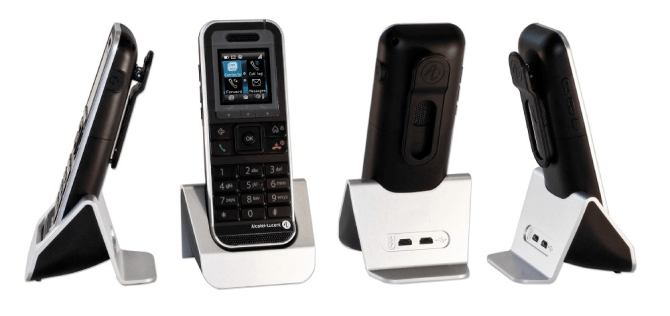
The ICON Digital Enhanced Cordless Telecommunications (DECT) 1 phone keeps you in constant touch with colleagues and key customers even when you have to leave your work area. The DECT1 handset gives users improved mobility, flexibility and comfort. Increase accessibility with this high-performance telephone and put a host of advanced communication technology at your fingertips.

The ICON DECT1 phone relies on a network of on-site base stations to provide seamless voice access for people on the move. Improved accessibility means fewer missed calls, greater customer satisfaction, and increased staff efficiency.

Features that keep you connected:

  • Roaming
  • Seamless handover between base stations
  • Hold, transfer and conference calls
  • User-friendly interface with context sensitive soft keys
  • Shared central directory with 200 entries
  • Call log records the last 50 calls, whether incoming or outgoing
  • Twelve speed dial keys (numbers 2 through 9 on the twelve-key dial pad and the four bottom feature keys)

ICON-DECT1-Wireless-Brochure


IWATSU – ESNATECH TOL-IVM

IWATSU – Esnatech TOL-IVM

The Esnatech TOL-IVM voice messaging system is an embedded voicemail/automated-attendant call processing system for the Iwatsu ECS IP Media Centre. This system streamlines calls to your business and answers callers with greetings specific to the number dialed, person or department reached or based on the caller ID of the outside caller. Employees can manage voice messages from their phone or computer. Optional unified communications and mobility options are also available for Apple iPhone®, Blackberry®, Windows® Smartphone and Android™ devices.

System-Wide Features

Automated attendant: For customer service, it is essential to ensure incoming calls are handled efficiently and professionally. Greet callers with customized announcements based on incoming line or number dialed. Efficiently direct calls through helpful menu options directed at your clients and potential customers. Any of the 50 Iwatsu TOL-IVM voice mailboxes may be defined as an automated attendant voice menu.

Automatic message forwarding: Mailboxes may be programmed to automatically forward a voice message left at the destination mailbox to other mailboxes and extensions.

Remote call forwarding: Remote call forwarding allows users to direct incoming calls to ring at any remote location. Calls can be forwarded to an answering service, mobile phone or home telephone.

Standard Web Client Features

The TOL-IVM Web Client provides visual voicemail access from a web browser. Use the Web Client to manage your messages, configure your mailbox settings and access you contacts.

Optional Advanced Mobility (UC) Client Manager Features

Presence management: Using scheduling and filtering information, advanced unified communications enables presence management based on location, availability, and in-office status. Full integration with calendar program such as Microsoft® Outlook® automatically change user availability status based on calendar entries.

UC call manager: This application resides on a user’s PC desktop and displays details of incoming calls to an extension. Screen pops allow users to answer, ignore or redirect ringing calls to another external number or extension.

UC mobile client: Specific applications have been developed for Apple iPhone, Blackberry, Windows Smartphone and Android devices that allow users to dial contacts, set location and availability, see the location and availability status of co-workers in real time, send secure text messages, access call logs and manage messages.

IVM TOL BROCHURE

IWATSU Icon Digital Telephones

IWATSU Icon Digital Telephones

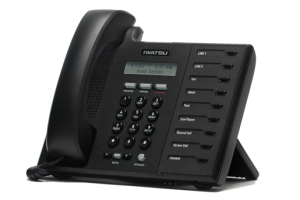
Iwatsu Icon IX-5800 Digital Telephone

  • Iwatsu Ticker Scrolls Customized, Web-Based Text Messages Across the Display
  • Two-line, 16-character LCD
  • 9 Multi-purpose Keys with Red and Green LEDs expandable to 18 Keys with Optional Expansion Module
  • Full-duplex Speakerphone

Three-position Integrated Pedestal with Wall Mount


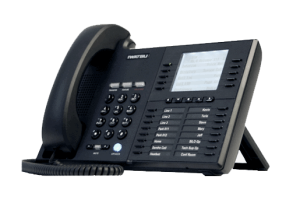
Iwatsu Icon IX-5810 Digital and IX-5910 IP Telephone

  • Optional Bluetooth Headset Module
  • Iwatsu Ticker Scrolls Customized, Web-Based Text Messages Across the Display
  • Seven-line, 24-character Backlit LCD
  • 20 Self-labeling Keys (Screen 1/Screen 2), 16 Multi-purpose Keys
  • Full-duplex Speakerphone
  • Three-position Integrated Pedestal with Wall Mount


Iwatsu Icon IX-5930 IP Telephone

  • Optional Bluetooth Headset Module
  • Iwatsu Ticker Scrolls Customized, Web-Based Text Messages Across the Display
  • 15-line, 24-character Backlit LCD
  • 60 Self-labeling Keys (Screen 1/Screen 2)
  • Full-duplex Speakerphone
  • Three-position Integrated Pedestal with Wall Mount


Expansion Keys
The Iwatsu Icon IX-5800 can be expanded to 18 multi-purpose keys using the optional key expansion module.  Likewise, the Iwatsu Icon IX-5810 and IX 5910 phones can be expanded to 24-multi-purpose keys using the optional keyexpansion module.

Digital Card Interface
The Iwatsu Icon Series digital phones use a newly-designed digital card to interface with the Iwatsu Enterprise Suite.  The digital interface card is available in 8- and 16-port configurations.

CO Line Interface *
The new 8-port digital interface card can be upgraded with a 4-port caller ID CO line daughter card.  This daughter card provided flexibility for small and large systems alike.

Loop (Distance) Extender
The Iwatsu Icon Series digital phones are available with an optional station loop distance module.  This module is installed in the station and extends the maximum loop distance to 2100 feet.


IWATSU icon digital phones

IWATSU ICON IP Phones

IWATSU ICON IP Phones

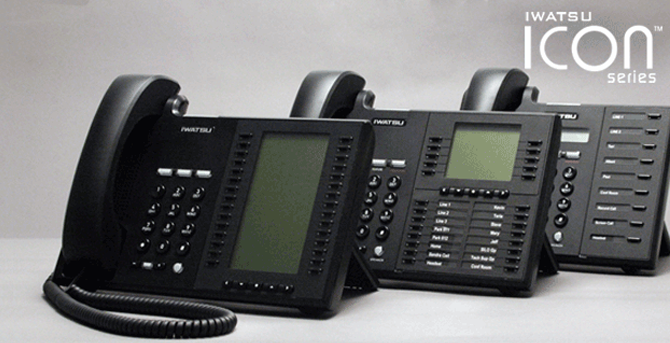
Armed with this data, our design and engineering teams set out to create a business extension specifically for small to medium-sized businesses. The goal: create a phone rugged enough for industrial applications, intuitive enough for courtesy use and with enough advanced features for even the most ardent power user. We also demanded that all this fit into a station that looks as attractive as it sounds. Our higher standards produced the Iwatsu ICON Series.

When the design process for the Iwatsu ICON Series was first set into motion, the goal was to design a business phone that would push the technological envelope without becoming overly complicated. To achieve this, hundreds of hours of research was compiled in design sessions, focus groups and surveys with laymen and industry experts alike.

Interactive Information Display – Text Web allows users to interactively access and display data retrieved from the Internet, intranet or corporate databases on your phone – including select RSS feeds.

  • Full Duplex Speakerphone – All Iwatsu ICON Series phones are equipped with a full-duplex speakerphone for superior voice clarity during hands-free calls.
  • Electronic Bulletin Board – Be Informed! – The Ticker Display allows companies to provide important messages to their employees such as security alerts, local weather or other customizable company announcements by scrolling information across the station display.
  • Easy Feature Operation – Features such as conference calling, directory speed dialing and call forwarding are a breeze with the Iwatsu ICON Series phones.
  • Self-Labeling Feature Keys – Make it YOURS! Customize your telephone with access to features you need. The Iwatsu ICON Series IX-5810, IX-5910 and IX-5930 phones support user-programmable feature key assignments that display the exact button function on the LCD.

BROCHURE_Iwatsu_ICON_Series_phones

IX-5900_5800_Quick_guide